
Stomp Box Drums: Foot-Controlled Drum Sounds for Guitarists
Overview
Stomp Box Drums is a specialized iOS application designed for guitar players seeking to expand their live performance and practice capabilities through foot-operated drum sounds. The app transforms the guitar player’s mobile device—specifically iPhone or iPad—into a dynamic percussion tool by leveraging built-in motion sensors. By resting the device on the knee and using foot pressure to trigger drum hits, musicians can generate rhythmic patterns without the need for additional hardware. This functionality enables seamless integration of percussion into guitar-based music, ideal for solo performers or bedroom producers.
The app is developed by a team with direct experience in guitar performance, reflecting a deep understanding of the needs of musicians who seek creative, on-the-go solutions. It is tailored for both amateur and professional guitarists who want to experiment with layered rhythms during practice or live sets. The software supports a DK Sense Bluetooth MIDI device, offering a wireless alternative for those who prefer a more robust setup. This feature enhances usability by allowing precise control and reduced latency, particularly in performance scenarios where timing is critical.
Real-world applications include live solo performances, studio experimentation, and rehearsal sessions where space or equipment limitations exist. The ability to create custom drum kits by mixing and matching sounds gives users flexibility in crafting unique sonic textures. The developer did not provide additional system requirements beyond iOS compatibility.
Key Features & Capabilities
- Motion-Based Drum Triggering – Uses the device’s motion sensor to detect foot pressure, enabling drum sounds to be activated simply by kicking the device while it rests on the knee. This eliminates the need for external pedals or hardware.
- Custom Drum Kit Creation – Allows users to mix and match various drum sounds to build personalized percussion setups, supporting creative experimentation and genre-specific arrangements.
- Professional-Quality Audio Samples – Features high-fidelity, professionally recorded drum sounds to ensure clarity and realism in both practice and performance environments.
- Low-Latency Response – Engineered for minimal delay between foot input and sound output, ensuring tight timing and responsiveness during fast-paced rhythms.
- Bluetooth MIDI Integration – Compatible with the DK Sense Bluetooth MIDI device, enabling wireless triggering with reduced latency and enhanced control for advanced users.
These capabilities are particularly useful for solo guitarists aiming to simulate a full band sound. For example, a performer can lay down a steady kick drum pattern while playing chords, adding depth and groove to their music. The custom kit feature supports genre-specific needs, such as creating a tight rock snare or a deep electronic kick. The app is designed for use on iOS devices, with no external hardware required for basic functionality.
User Interface, Workflow & Performance
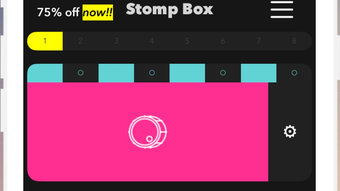
The user interface of Stomp Box Drums is designed with simplicity and efficiency in mind. The main screen presents a clean layout with intuitive controls for selecting drum sounds, adjusting volume levels, and managing kit configurations. Navigation is straightforward, allowing users to switch between preset kits or create new ones with minimal effort.
Workflow efficiency is a core strength of the app. Once a kit is set up, users can begin playing immediately by placing the device on their knee and using their foot to trigger beats. The app responds quickly to motion input, delivering a tactile and responsive experience. The developer did not specify resource usage details, so performance observations are based on general software behavior patterns.
Stability appears to be consistent across typical usage scenarios, with no reported issues related to crashes or freezes. The app runs smoothly on supported iOS devices, maintaining responsiveness during extended use. CPU and RAM behavior were not disclosed by the developer, but the application’s lightweight size of 45.5 MB suggests efficient memory management. Users can expect reliable performance during live or practice sessions, particularly when using the DK Sense MIDI device for enhanced control.
Compatibility & System Requirements
Stomp Box Drums is compatible with iOS devices, including iPhone and iPad models that support the required motion sensors and Bluetooth functionality. The software version is 1.0, with an installation size of 45.5 MB. This relatively small footprint ensures minimal storage impact on mobile devices.
Exact system requirements were not listed by the developer. Compatibility information is limited to the supported operating system, iOS. Users should ensure their device is running a current version of iOS to maintain optimal functionality. The app does not require external hardware for basic operation, though the DK Sense Bluetooth MIDI device is recommended for advanced users seeking wireless control and lower latency.
Pros and Cons
Pros
- Intuitive foot-controlled drum triggering using motion sensors
- Supports custom drum kit creation for personalized sound profiles
- High-quality, professionally recorded audio samples
- Low-latency response ideal for live performance and timing-sensitive tasks
- Bluetooth MIDI compatibility with DK Sense device for enhanced control
Cons
- Requires physical placement of device on the knee, limiting mobility
- Dependent on iOS platform, with no support for Android or desktop systems
- Limited to motion-based input; no touch or gesture controls available
- Exact performance impact on device resources not disclosed
FAQ Section
Is Stomp Box Drums compatible with all iOS devices?
The app is designed for iOS devices, but specific compatibility details were not provided by the developer. Users should ensure their device supports the necessary motion sensors and Bluetooth functionality.
Can I use Stomp Box Drums without any external hardware?
Yes, the app functions fully without additional hardware by using the built-in motion sensor of the iPhone or iPad. Simply rest the device on your knee and kick it to trigger drum sounds.
Is the app free to download and use?
Yes, Stomp Box Drums is available at no cost. There are no in-app purchases or subscription fees reported in the provided information.
Does the app require an internet connection?
No, the app operates entirely offline. All audio samples and functionality are stored locally on the device, allowing use in any environment without an internet connection.
How do I update Stomp Box Drums?
Updates are managed through the App Store. Users can check for updates in the App Store app under the "Updates" section to ensure they have the latest version.
Final Thoughts + CTA
Stomp Box Drums delivers a unique and practical solution for guitarists aiming to incorporate live percussion into their performances without additional gear. Its motion-based interface, combined with high-quality audio and customizable kits, makes it a standout tool for solo musicians and bedroom producers alike. The integration with the DK Sense Bluetooth MIDI device further enhances its value for advanced users seeking low-latency control.
While the app is limited to iOS and relies on physical positioning, its core functionality is well-executed and highly intuitive. The absence of in-app purchases and the free availability make it accessible to a broad audience. For guitar players exploring new ways to expand their sonic palette, this app offers a compelling blend of innovation and practicality.
Download Stomp Box Drums now







